
UniFi networking
UniFi network design and installation for businesses
A business network should be something you stop thinking about. We survey the building, plan coverage around how your team actually moves through it, run proper Cat6, and hand you a UniFi system that holds steady when every device is on at once.
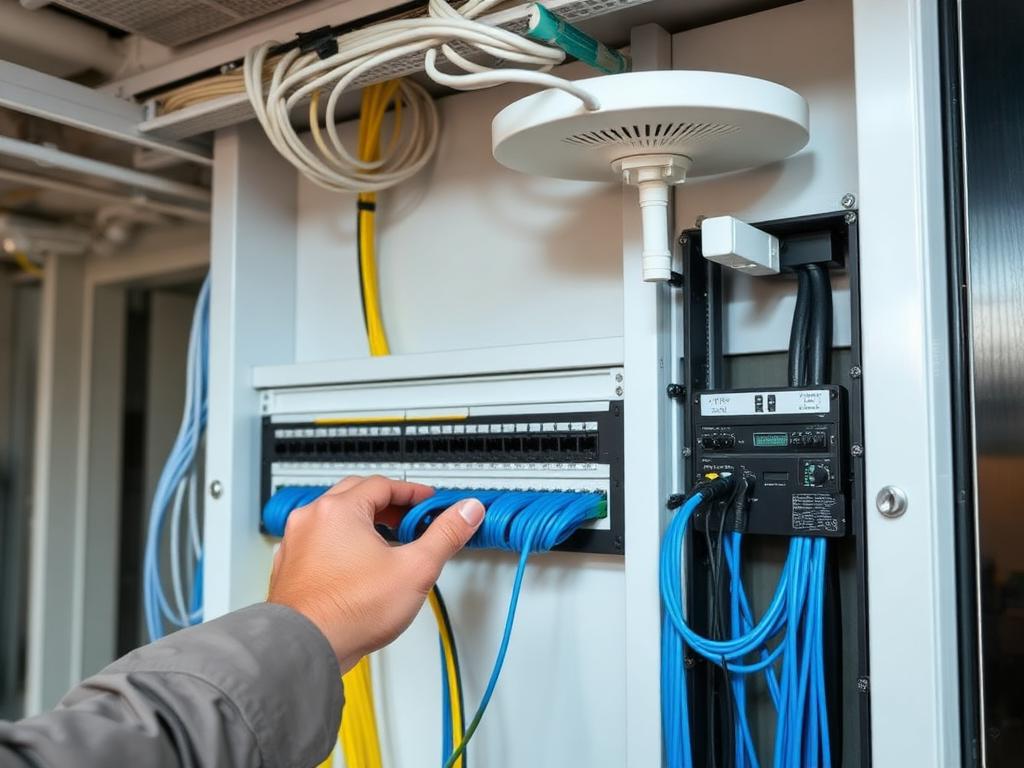
How the install actually goes
Six steps, in this order, every time. Nothing gets mounted before the plan is done and you have seen the price.
Site survey first
We walk the building with a survey app and a spare access point, checking signal through the walls you actually have. Metal studs, tilt wall concrete, and old plaster all eat WiFi differently, so we measure instead of assuming.
Access point placement
Coverage comes from the right number of access points in the right spots, not from one expensive unit in a closet. We plan for overlap so a phone on a call hands off cleanly as someone walks the floor.
Managed switching and gateways
A UniFi gateway handles routing, firewall, and traffic shaping. PoE switches feed the access points and cameras off one cable each, and every port is labeled to what it serves.
Structured Cat6 cabling
Cat6 run in straight, supported paths, terminated in a patch panel, tested, and labeled at both ends. Boring work that nobody notices until somebody skips it.
VLANs and guest networks
Your point of sale, your cameras, your staff devices, and the guest WiFi all live on separate VLANs. A customer phone on the guest network cannot see the register, and a camera cannot be used as a way into your files.
Remote monitoring
Every site we install stays visible to us. If an access point drops or a switch port starts flapping, we often know before your staff picks up the phone.
Signs your business needs this
Most people call after living with the same problem for a year or two. If two or three of these sound familiar, the network is the reason and not the internet provider.
- Dead zones in the back office, the warehouse, or the far end of the shop
- Calls on WiFi that drop when someone walks from one room to another
- Everyone, including guests and cameras, running through one consumer router
- Weekly router reboots that have become a normal part of somebody's job
- Card readers or handhelds that time out during a rush
- Nobody knows what half the cables in the closet are for
Common questions about UniFi installs
- How long does an install take?
- Most small offices and shops are a one day job, cabling included. A multi building site, a warehouse with high ceilings, or anything needing more than about twenty drops usually runs two to three days. You get a real day count in the quote, not a guess after we start.
- Do you work around business hours?
- Yes. Cutting a network over in the middle of a workday is a bad idea for most businesses, so we do a lot of evening and weekend cutovers. Cabling and mounting can usually happen during the day since it does not touch the live network.
- What brands do you install?
- Ubiquiti UniFi, almost exclusively. Gateways, managed switches, and access points from the same ecosystem so one dashboard runs everything. If your building already has decent gear from another brand, we will tell you honestly whether it is worth keeping or replacing.
Working in the Fort Worth area? See our Fort Worth network installation page. Adding cameras on the same cabling run is usually cheaper than doing it later, and that lives on the security camera page.
Free quote
Get a free network assessment
Tell me the square footage, how many people are on it, and what keeps breaking. I will come look at the building and price the job before anything gets ordered.